![Seer Logo White.png]](https://knowledge.seerdata.ai/hs-fs/hubfs/Seer%20Logo%20White.png?height=50&name=Seer%20Logo%20White.png)
What is an Insight?
An Insight helps you explore and understand your data clearly.
Each Insight brings together information from a dataset and presents it in two ways:
-
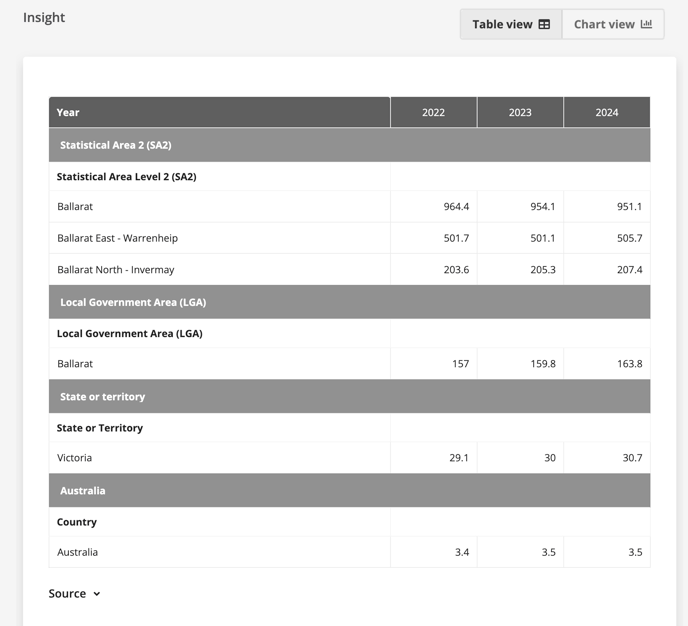
a table view, for detailed review
-
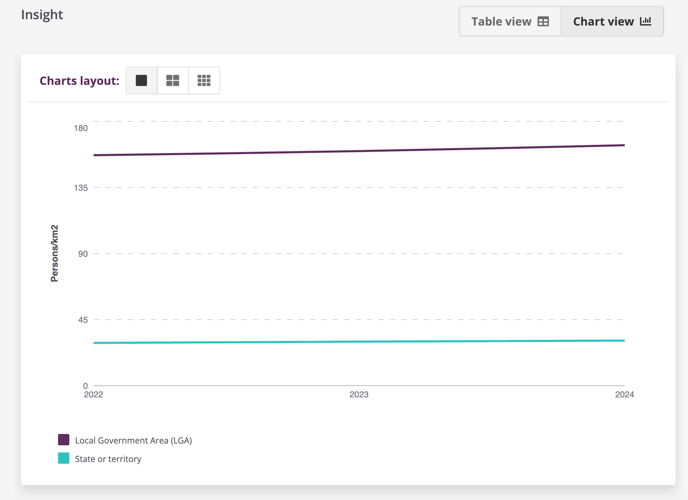
a chart view, such as a bar or line chart, to reveal patterns at a glance
This combination makes it easier to see what’s happening, track change over time, and support confident decisions.
Where Insights live
Insights are organised within Suitcases, which provide a clear folder structure for grouping, storing, and managing related Insights.
A Suitcase helps keep work organised and ensures insights remain easy to find, share, and revisit as understanding evolves.
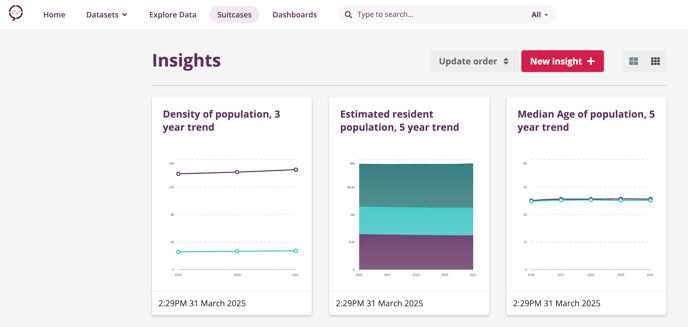
Viewing more detail about the Insight
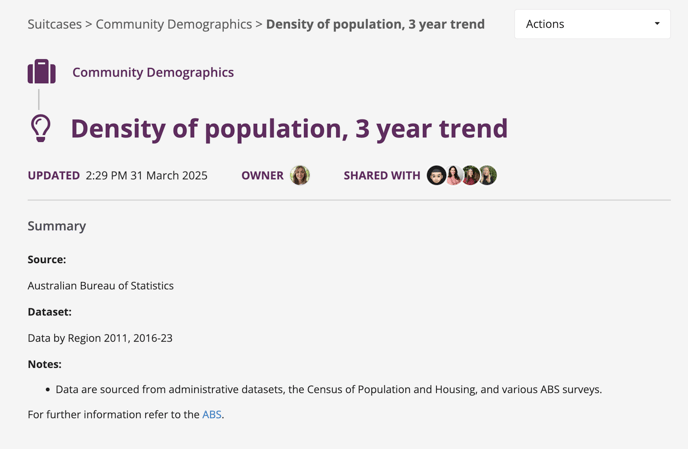
Selecting an Insight opens a detailed view, where you can see:
-
the title and summary, explaining what the Insight shows
-
the last updated date, so you know how current it is
-
the Insight owner, who created or maintains it
-
sharing details, showing who else can access it
Scrolling further reveals the underlying data in a table, supporting transparency and traceability.
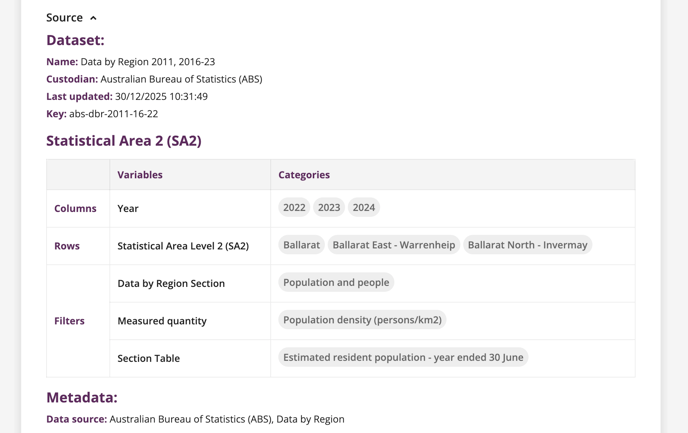
Understanding the data source
Beneath the table, selecting Source shows the data source and associated metadata for the Insight.
Viewing the chart
You can switch from Table View to Chart View at any time to see the data visualised, helping patterns and trends stand out more clearly.
![]() Sharing and using Insights
Sharing and using Insights
Insights can be shared with others, edited as understanding grows, or downloaded for use outside the platform.
-
Read an article on Sharing your Insights
-
Watch a video on Sharing, Editing and Downloading your Insights
You can also embed Insights into Dashboards, bringing multiple views together to support shared understanding and decision-making.
-
To see how read our Embedding Insights article.