![Seer Logo White.png]](https://knowledge.seerdata.ai/hs-fs/hubfs/Seer%20Logo%20White.png?height=50&name=Seer%20Logo%20White.png)
Sharing allows others to view or collaborate on a Dashboard, depending on the access level provided.
Dashboard owners control who can access the Dashboard and what they can do with it.
Managing access to a Dashboard
To manage Dashboard access:
-
Open the Dashboard.
-
Click Actions on the right-hand side.
-
Select Manage Access.

From here, you can assign different access levels to organisations, individual members, or the public.
Dashboard access levels
Public link access
Public link access allows anyone with the link to view the Dashboard, even if they are not a platform user.
To enable:
-
Change the No access dropdown to Can view
-
Copy and share the generated public link
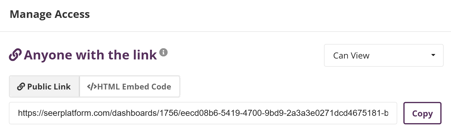
This provides a read-only public view of the Dashboard.
Read-only access
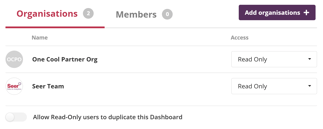
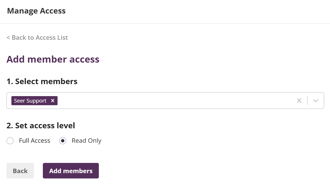
Read-only access allows a platform user to view the Dashboard without editing it.
Read-only access can be granted at:
-
Organisation level — all members of the organisation receive access
-
Member level — access is granted to specific individuals only
If access is granted at the member level, it will override any organisation-level access for that individual.
Full access
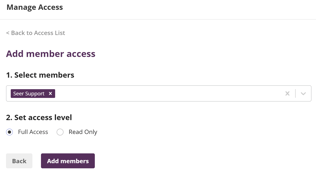
Full access allows a platform user to view and edit the Dashboard.
Like read-only access, full access can be granted at:
-
Organisation level, or
-
Member level
HTML embed code
The HTML embed code option allows you to embed a Dashboard into an external website, such as:
-
Your organisation’s website
-
An intranet or internal portal
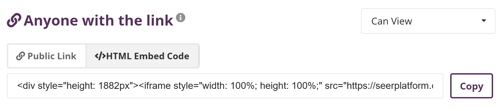
This is useful when you want to display a live Dashboard outside the platform environment.
Why this matters
Clear access controls ensure Dashboards are shared appropriately supporting collaboration, transparency, and reuse, while protecting the integrity of the content.
➡️Click here to learn more about sharing your Dashboard.