![Seer Logo White.png]](https://knowledge.seerdata.ai/hs-fs/hubfs/Seer%20Logo%20White.png?height=50&name=Seer%20Logo%20White.png)
What is a Data Table?
A Data Table is a structured table used to collect and store data within a Dataset Template. It is similar in layout to a spreadsheet, but designed specifically for consistent, governed data collection.
Each Data Table stores the raw records that make up a dataset and is defined by a Schema. The schema describes the fields being collected, their data types, and any rules needed to ensure accuracy and consistency.
Data Tables belong to Dataset Templates, and a single template can include multiple tables. Contributors who are invited to a dataset template can access these tables via their unique contributor links and enter data directly against them.
How do I create a Data Table?
-
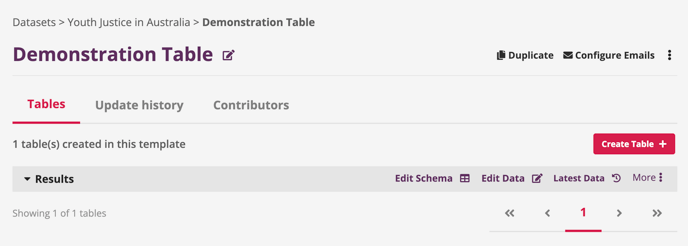
Navigate to the relevant Dataset Template.
-
Click Create Table.
-
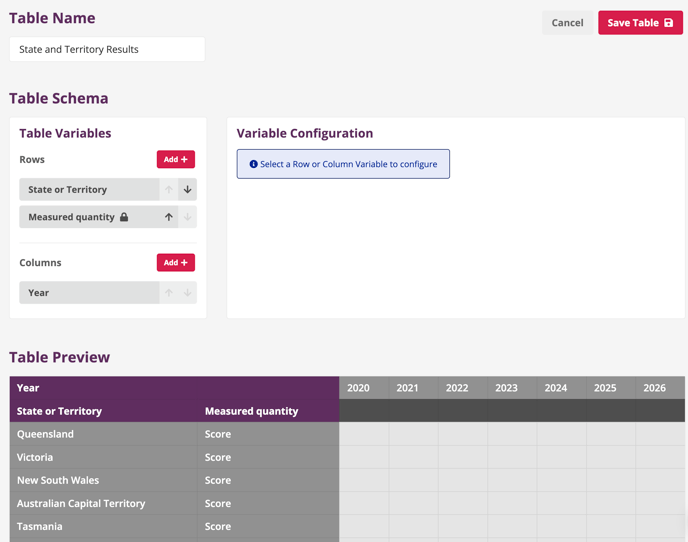
On the table creation page:
-
Give your table a unique, descriptive name. This name will be available for querying in the platform’s Explore tool, so clear naming makes data easier to find and use later.
-
Create a Schema that defines the data being collected.
-
-
Click Save Table to finish.
How do I edit a Data Table configuration?
-
Navigate to the relevant Dataset Template.
-
In the Tables section, find the table you want to update.
-
Click Edit Schema to make changes to the table’s configuration.