![Seer Logo White.png]](https://knowledge.seerdata.ai/hs-fs/hubfs/Seer%20Logo%20White.png?height=50&name=Seer%20Logo%20White.png)
Dashboards are created using a drag-and-drop interface and published, either as standalone web pages, each with their own unique URL, or as a set of linked pages under a single URL. They can be shared directly or embedded into external websites, making it easy to communicate insight beyond the platform.
What can you do with a Dashboard?
Dashboards allow you to:
-
Combine Insight charts with text, images, and other content
-
Arrange content visually to guide understanding
-
Link multiple dashboards together using a navigation menu
-
Present insights in context, not just as standalone charts
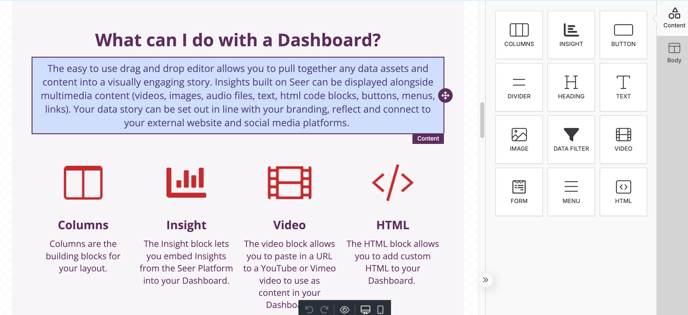
To learn more about working with Dashboard content, read our article on Working with Dashboard Content.
Working together on Dashboards
Dashboards support collaboration.
You can share a dashboard with other members of your team and choose whether they have:
-
Read-only access, or
-
Full access to edit and build content together
This makes it easier to co-create and refine your data story as insights evolve.
Viewing Dashboards in the platform
When you view a dashboard within the platform, you’ll see the full page layout exactly as others will experience it — including charts, text, and navigation.
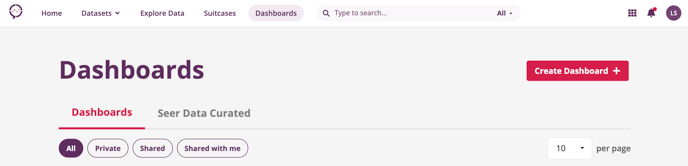
From the main header menu, select Dashboards to view a list of:
-
Dashboards you’ve created, and
-
Dashboards that have been shared with you by other users
Privacy, sharing, and access
Dashboards are private to their creator by default.
You can choose to:
-
Keep a dashboard private to yourself
-
Share it with members of your organisation
-
Share it with specific people or organisations using the platform
-
Make it public
-
Embed it into an external website
Access controls allow you to decide exactly who can view or edit each dashboard.
For step-by-step guidance, see:
Sharing your Dashboard
Learn more
This article explains what a dashboard is. If you’d like to go further, these articles will help you build and customise dashboards: