![Seer Logo White.png]](https://knowledge.seerdata.ai/hs-fs/hubfs/Seer%20Logo%20White.png?height=50&name=Seer%20Logo%20White.png)
Re-ordering Insight Categories
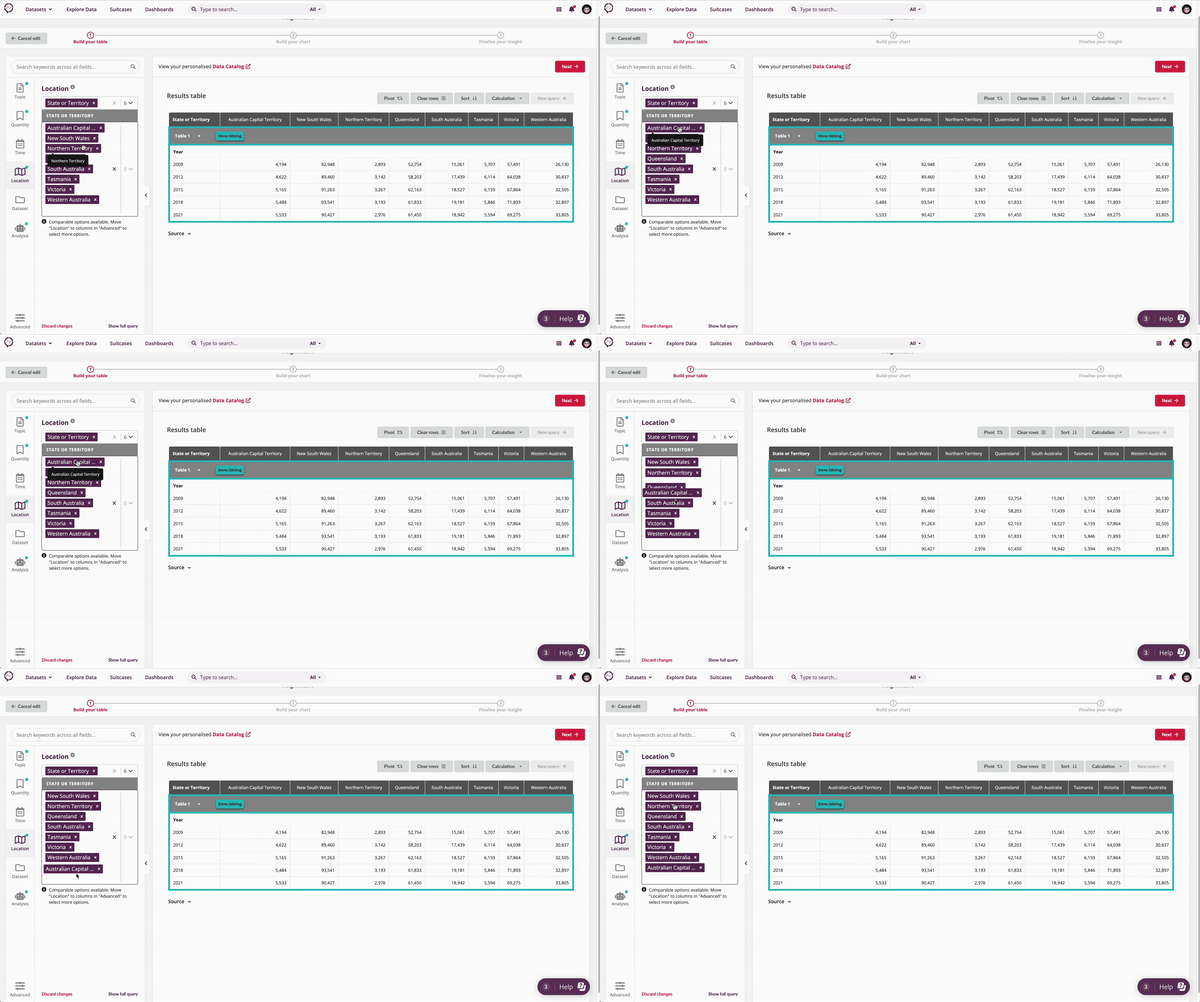
To re-order Categories:
-
Open the Explore Data page for your Insight.
-
Locate the Category dropdown you want to adjust.
-
Drag and drop Categories within the dropdown list to change their order.
The updated order will be reflected immediately in the table and associated chart.
When to re-order Categories
Re-ordering is useful when you want to:
-
Display Categories in a logical sequence (such as years or age groups)
-
Present data in a specific narrative order
-
Improve readability and comparison for your audience
Why this matters
Thoughtful ordering helps make Insights easier to understand at a glance, ensuring patterns and comparisons are clear without changing the underlying data.