![Seer Logo White.png]](https://knowledge.seerdata.ai/hs-fs/hubfs/Seer%20Logo%20White.png?height=50&name=Seer%20Logo%20White.png)
How to share a Dataset
-
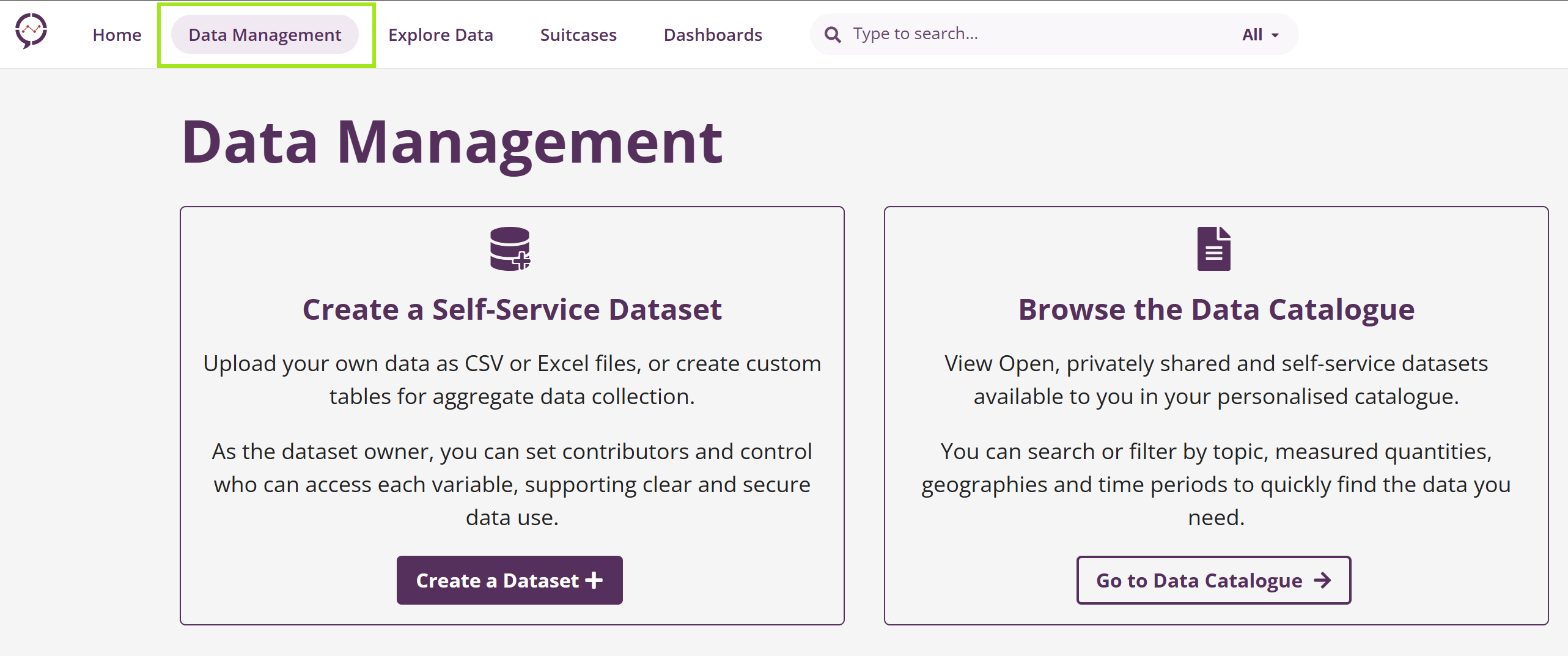
From the top menu, navigate to Data Management.
-
Choose the Dataset you want to share.
-
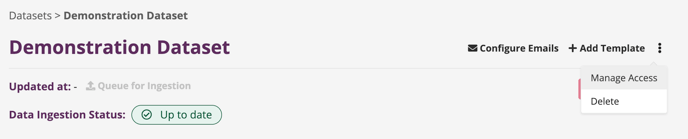
On the Dataset page, click the three dots icon and select Manage Access.
-
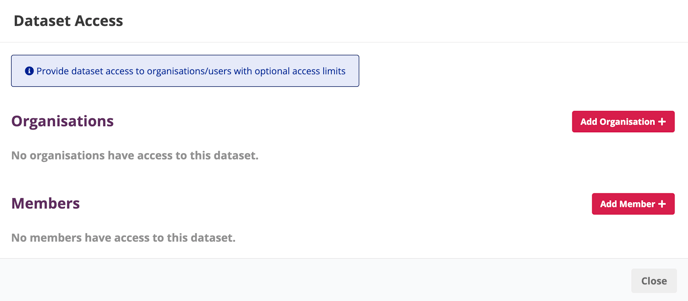
Add an Organisation or Individual Member.
-
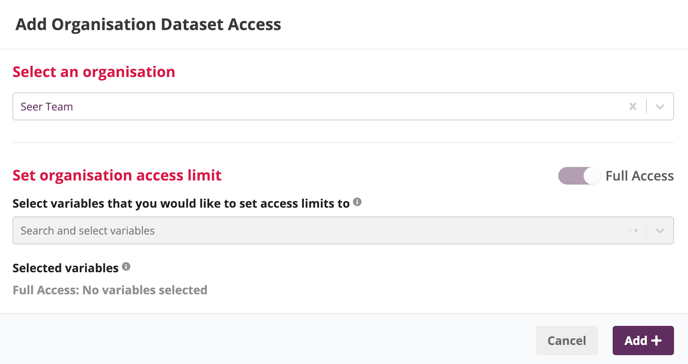
Choose the appropriate level of access.
-
You can grant full access, or
-
Set optional access limits by selecting specific Variables.
-
-
Click Add to finish.
About access limits
-
If no Variables are selected, the Organisation or Member will have full access to the Dataset’s data.
-
If specific Variables are selected, access will be limited to only those Variables.
This allows you to share data safely and intentionally, while maintaining appropriate controls over visibility and use.
How do I update or remove Dataset access?
To change or remove access for an Organisation or Member:
-
Open the Dataset and go to the Dataset Access tab.
-
Find the Organisation or Member you want to update.
-
Click Edit to modify access settings, then click Update to save changes, OR
-
Click Delete to remove access entirely.
-
Why this matters
Careful access management helps ensure data is shared responsibly, supports collaboration with partners, and protects data integrity and governance. By setting clear access levels, Dataset Moderators can enable collaboration while maintaining trust and accountability.
After creating a Dataset, you are able to give access to your own Organisation or your partner Organisations.
- On the Dataset page, select the Dataset Access tab.
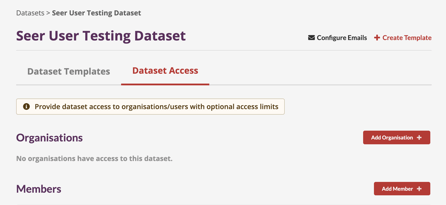
- Click “Add Organisation ➕ ” to give other organisations access to your Dataset.
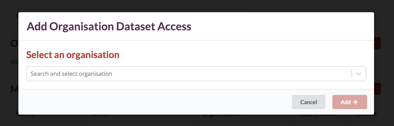
- Select an organisation from the dropdown and set an access limit if desired.
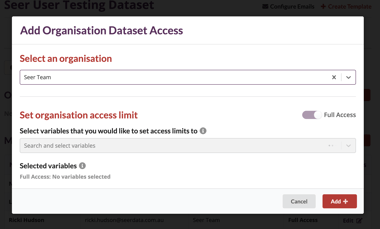
- Select variables that you would like to set access limits on.
Please note: Organisations will have full access to the Datasets data if no variables are selected. - Select categories for each variable that will be accessible.
Please note: Organisations will have no access to a variable if no categories are selected for it. This is the way to restrict access to a variable.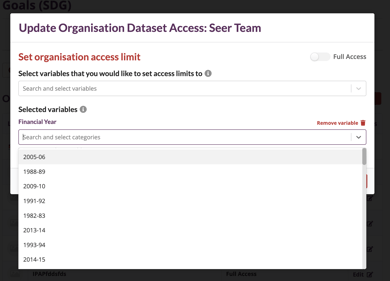
- Click “Add ➕ ” to finish adding the organisations dataset access.
How do I update or delete Dataset Access for an organisation?
On the Dataset Access tab, simply click on the Edit action for the respective organisation. Here you can make modifications in the same way we created them above and click Update to finish up. Or click Delete to remove the access for the organisation.