![Seer Logo White.png]](https://knowledge.seerdata.ai/hs-fs/hubfs/Seer%20Logo%20White.png?height=50&name=Seer%20Logo%20White.png)
Note: You must own the Suitcase to share it with others. This means you either created it yourself or duplicated it into your own space.
Ways to share a Suitcase
To share a Suitcase, open the Suitcase you want to share and choose one of the following options:
-
Click Share to create a public link (Anyone with the link), or
-
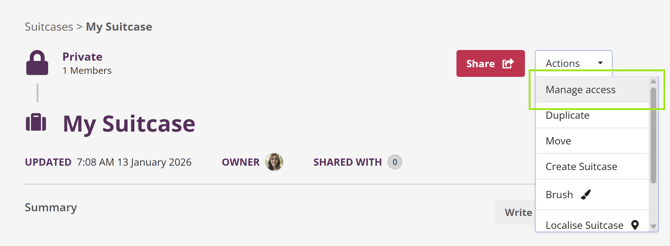
Open the Actions dropdown and select Manage Access to control access for organisations or individuals
Sharing with an organisation
To give an organisation access:
-
Open the Actions dropdown and select Manage Access.
-
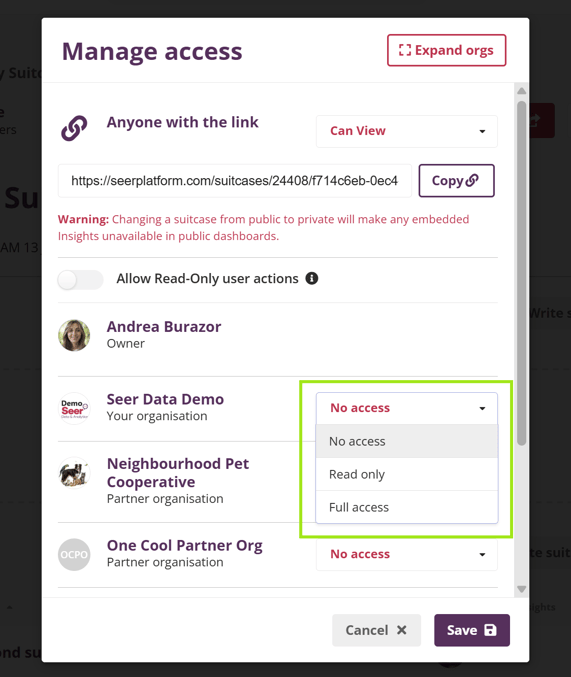
Find the organisation you want to share with.
-
Select the access level you want to grant.
-
You can also remove access by selecting No access.
-
-
Click Save to apply your changes.
Sharing with individual users
To share with specific people:
-
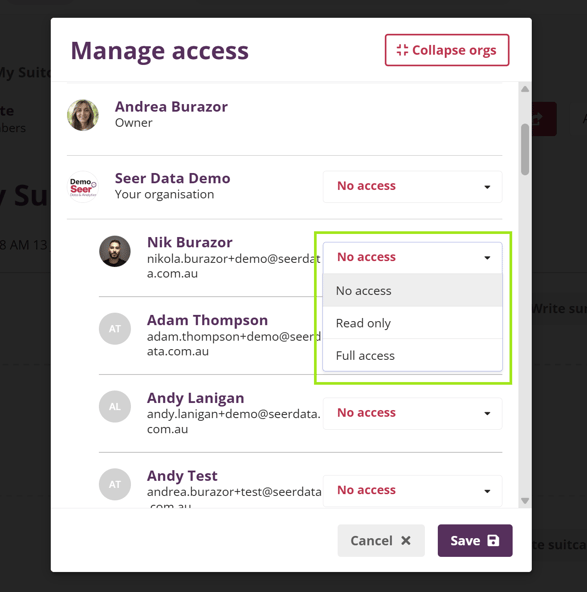
In the Manage Access modal, click Expand orgs to view all users within each organisation.
-
Set an access level for each individual you want to share with:
-
Read only — can view the Suitcase and Insights
-
Full access — can edit the Suitcase and the Insights within it
-
-
Click Save to apply your changes.

Sharing a Suitcase via a public link
To allow anyone with a link to view the Suitcase:
-
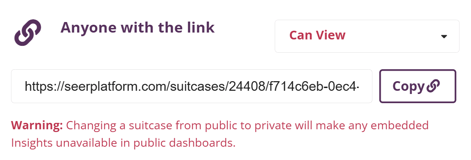
Next to Anyone with the link, open the dropdown.
-
Select Can view.
-
Copy the generated public link.
-
Share the link using your preferred channel.
What can read-only users do?
When a user has read-only access they can access and view the suitcase and its Insights.
You can enable further actions by toggling on Read-Only user actions

When enabled:
-
Users with read-only access to this Suitcase can use the Print and Duplicate actions. Additionally, they can use Duplicate and Download actions for the Insights within this Suitcase. However, descendant Suitcases are not included.
-
With public link sharing enabled, viewers with access to the public link can use the Print action.
When public link sharing is enabled:
-
Viewers with the public link can use the Print action
Why this matters
Clear access controls make it easy to share Insights while protecting their integrity. By choosing the right access level, you can collaborate confidently, support transparency, and ensure Suitcases are used as intended.