![Seer Logo White.png]](https://knowledge.seerdata.ai/hs-fs/hubfs/Seer%20Logo%20White.png?height=50&name=Seer%20Logo%20White.png)
Moving an Insight
To move an Insight:
-
Open the Insight you want to move.
-
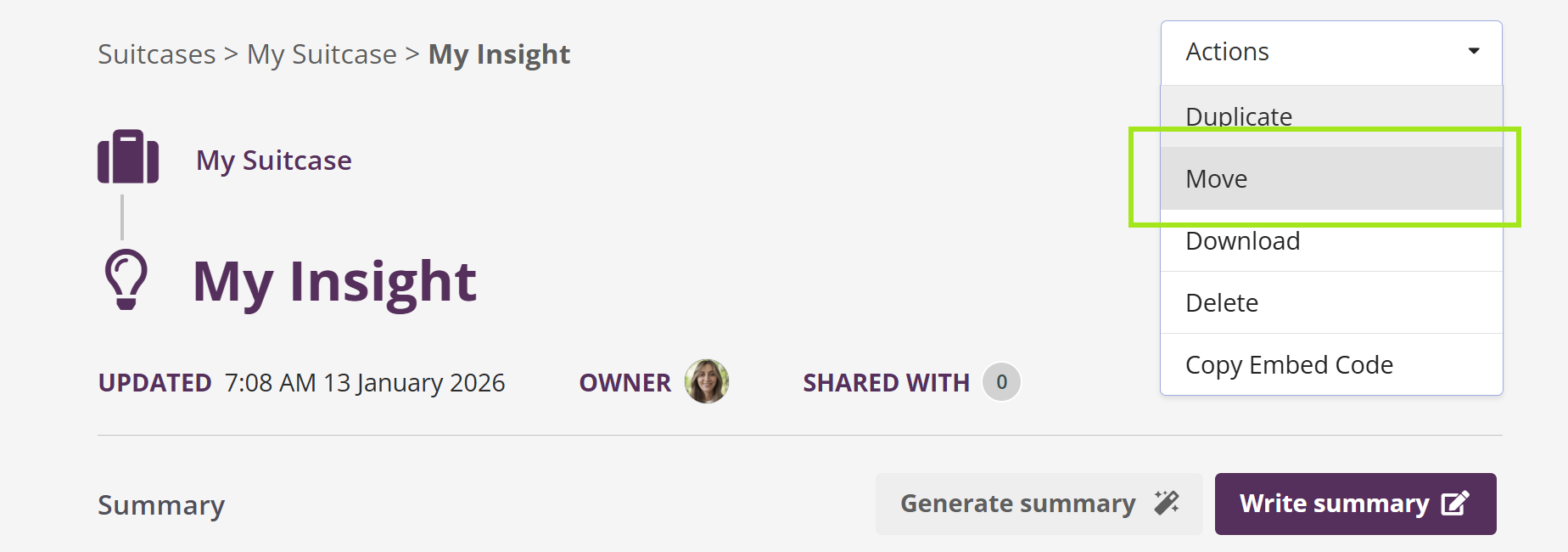
In the top-right corner, click Actions.
-
Select Move.
-
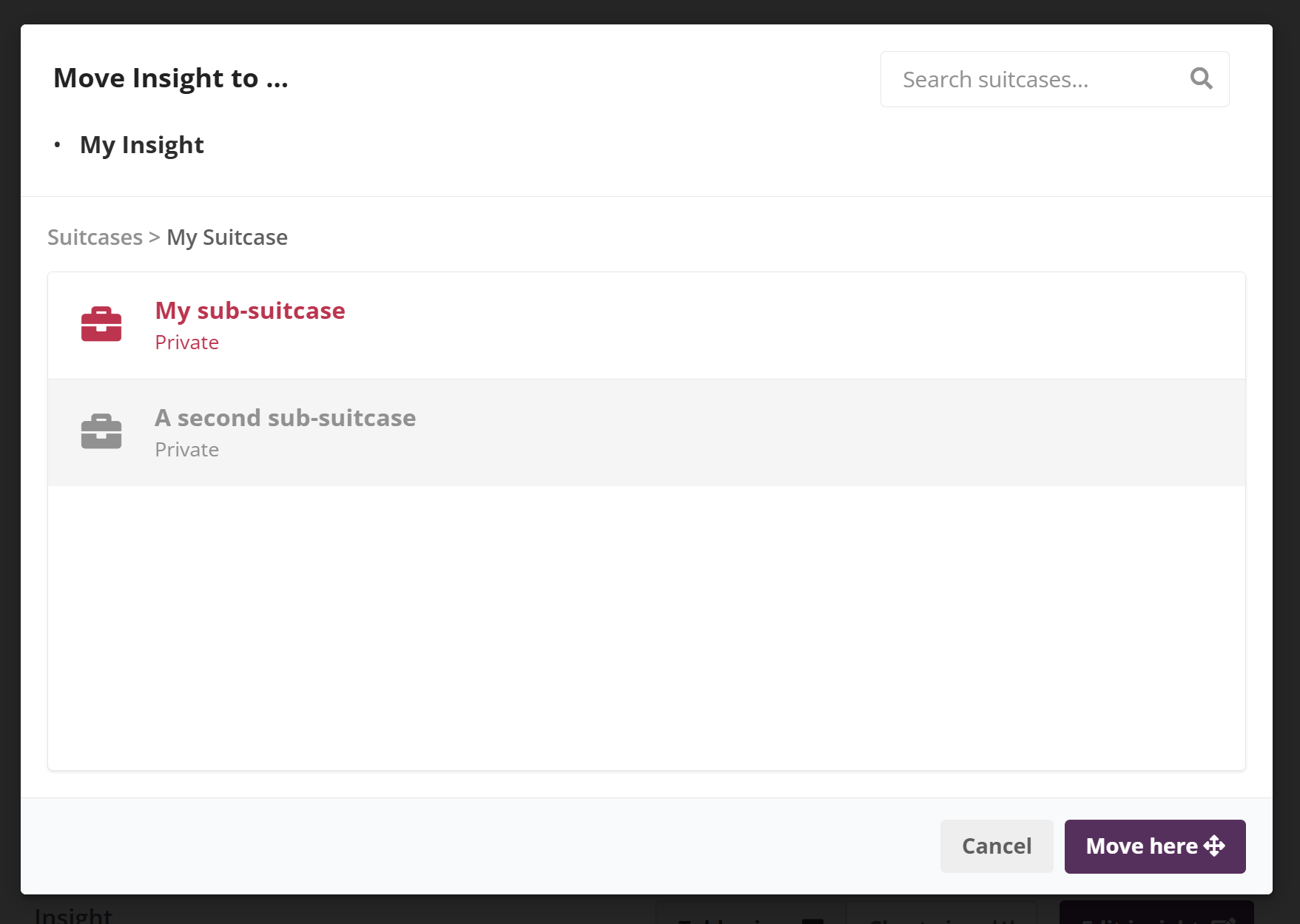
Choose the Suitcase you want to move the Insight to.
-
Click Move to confirm.
The Insight will be removed from its current location and added to the selected Suitcase.
Important note
-
You can only move an Insight that you created.
-
Insights you do not own cannot be moved, even if you have access to the Suitcase.
Why this matters
Moving Insights helps you keep Suitcases organised as your work evolves, without creating unnecessary copies or losing context.