![Seer Logo White.png]](https://knowledge.seerdata.ai/hs-fs/hubfs/Seer%20Logo%20White.png?height=50&name=Seer%20Logo%20White.png)
Duplicating an Insight
To duplicate an Insight:
-
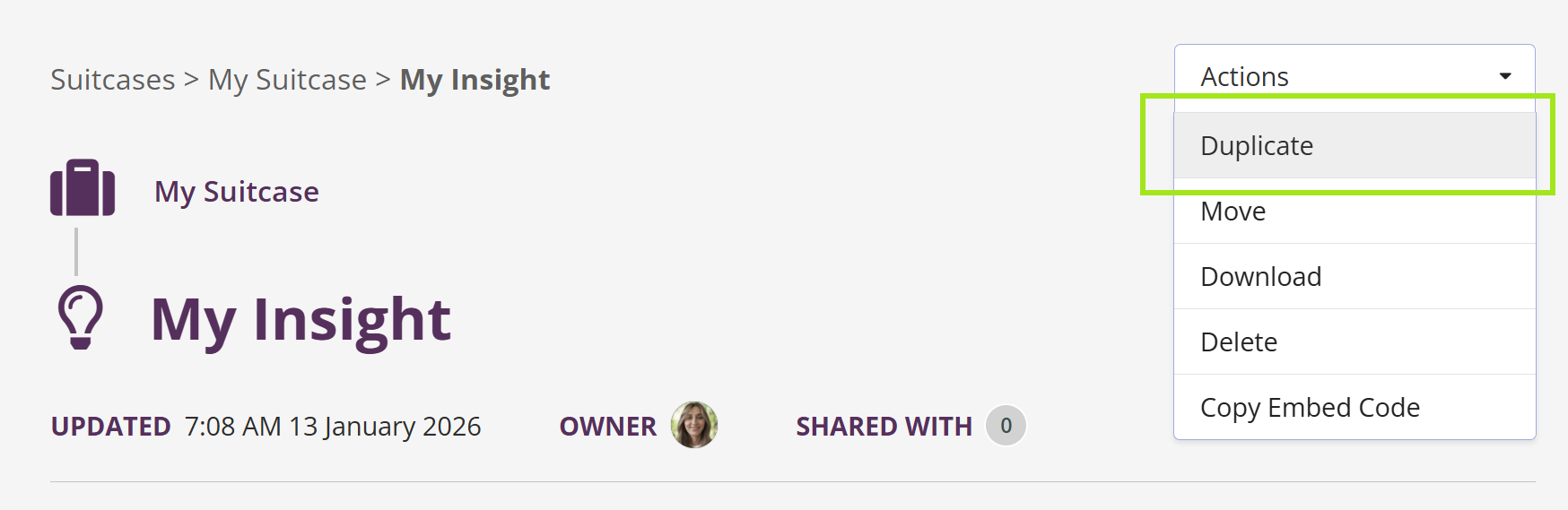
Open the Insight you want to copy.
-
In the top-right corner, open the Actions menu.
-
Select Duplicate.
-
Choose where you want to duplicate the Insight to:
-
The same Suitcase, or
-
Another Suitcase, or
-
Your Drafts Suitcase
-
-
Click Duplicate to confirm.
A copy of the Insight will be created in the selected destination.
Why this matters
Duplicating Insights makes it easy to reuse proven analysis, adapt Insights for different audiences, or experiment safely without affecting the original version.