
What this feature does
Seer Data’s AI Suitcase summaries help you quickly turn a collection of Insights into a clear, human-readable narrative.
Instead of manually synthesising multiple Insights, you can generate a draft summary using generative AI — then review, edit, and save it in your own words.
This feature is designed to help you:
- Communicate patterns across multiple Insights
- Save time when preparing reports or briefings
- Share findings with non-technical audiences
Suitcase summaries build on Insight summaries by helping you explain the bigger picture across a group of Insights.
Who can use it
You can generate an AI Suitcase summary if you:
- Are on a paid plan
- Have Edit access to the Suitcase
You cannot use this feature if you:
- Are on a Standard (free) plan
- Have view-only access to the Suitcase
How to generate a summary
- Open a Suitcase
- Navigate to the Summary section
- Select Generate summary
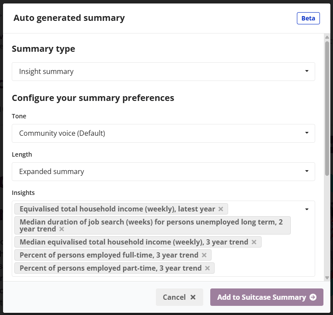
- Choose your summary type:
- Content summary
- Summarises the overall contents of the Suitcase
- Focuses on themes, coverage, and structure
- Does not require selecting individual Insight
- Insight summary
- Summarises specific Insights within the Suitcase
- Lets you highlight key findings across selected Insights
- (If using Insight summary) select:
- Up to 5 Insights
- Tone
- Length
- Content summary
- Select Generate summary
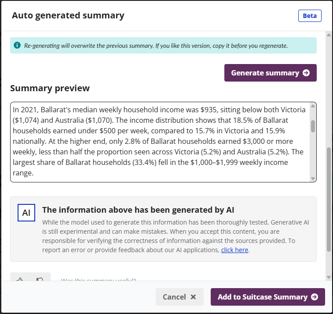
The summary usually appears within 5–10 seconds, depending on complexity and length.
Tone options (Voice & style)
For Insight type summaries, choose the voice that best fits your audience:
-
Community voice (default)
Warm, inclusive, plain language, focused on community impact. -
Easy read
Very simple language, short sentences, minimal numbers. -
Neutral analytical
Clear, factual, data-driven explanation. -
Policy & program lens
Highlights implications for services, policy, or programs.
Length options
Choose how detailed the summary should be:
-
Short summary (default)
Short overview with key points and one implication. -
Expanded summary
More context, trends, and subgroup highlights. -
In-depth explanation
Detailed narrative with patterns, differences, and caveats.
Start with a Short summary. We recommend using Expanded or In-depth summaries when selecting 2 or more Insights, or selected Insights are especially complex—for example, when they involve multiple variables, comparisons, are built from multiple datasets, or contain detailed calculations.
Selecting Insights (Insight summary only)
- You can select between 1 and 5 Insights
- Only Insights within the current Suitcase are available
- The selection directly shapes what the AI includes in the summary
Reviewing and saving the summary
After generation, you can:
- Read the summary before saving
- Regenerate with different selections (this replaces the draft)
When you select Add to Suitcase Summary:
- The generated content is added to the existing summary (not overwritten)
- You can still edit the text (your edits are never sent back to the AI)
Auto-regenerating summaries
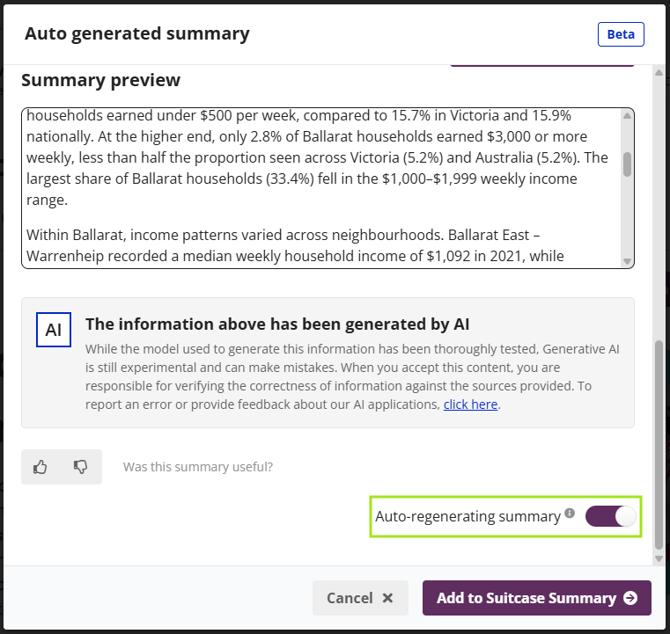
You can enable Auto-regenerating summary to keep summaries up to date when data changes.
For Insight summaries:
Auto-regeneration is triggered when:
- A selected Insight is updated or deleted
It is not triggered when:
- Non-selected Insights change
- New Insights are added
For Content summaries:
Auto-regeneration is triggered when:
- Insights are added or removed
- Insight titles change
- Insight data changes
Important to know:
- Auto-regeneration replaces the entire summary
- Manual edits turn auto-regeneration off
- The Suitcase owner is notified when regeneration occurs
AI disclaimer
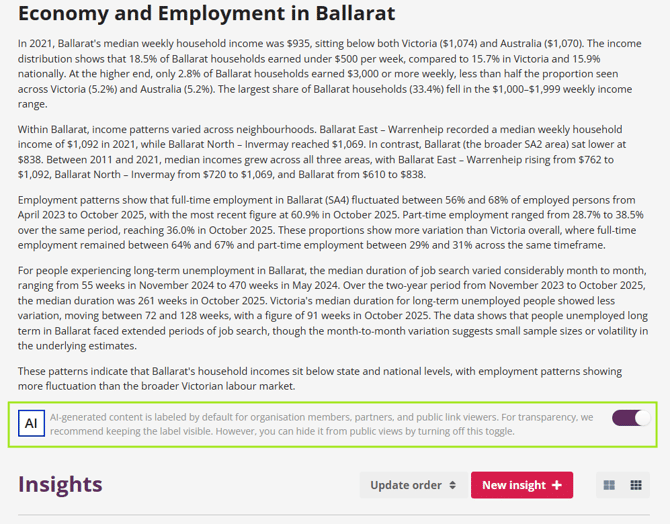
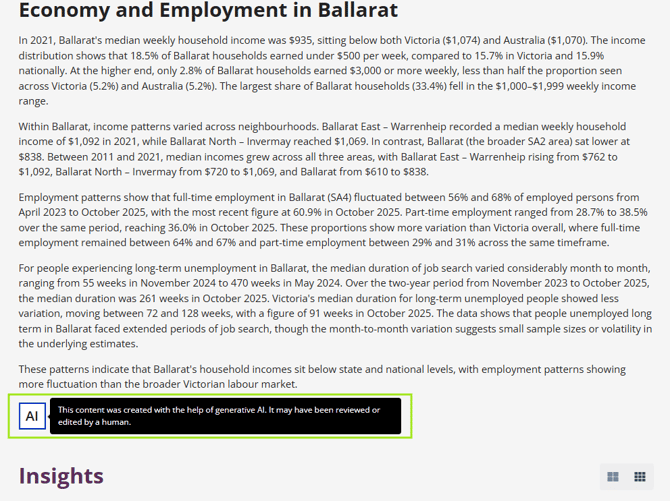
When an AI-generated summary is used, you can show a disclaimer:
“This content was created with the help of generative AI. It may have been reviewed or edited by a human.”
The disclaimer is only shown when AI has contributed to the summary, and you can choose to toggle it on or off for public views.
Internal View:
Public View:
Giving feedback
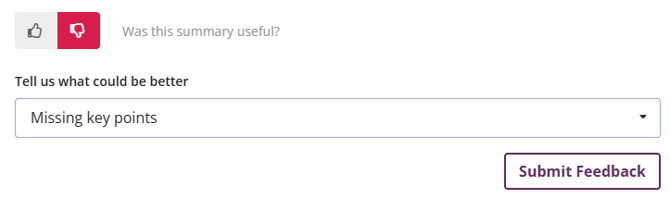
After generating a summary, you can give quick feedback using 👍 or 👎.
If you select 👎, you can tell us why (e.g. too vague, missing key points, hard to understand). This helps us improve future summaries.
Privacy, safety, and trust
Seer Data is governance-first by design.
-
No raw or identifiable data is sent to the AI
-
Only aggregated Insight data and metadata are used
-
All summaries are logged for audit and accountability
-
The AI is instructed to avoid speculation, bias, or harmful language
If the AI service is unavailable, you can still write or edit summaries manually.
Final note
AI Suitcase summaries are a starting point, not the final word.
They help you move faster, but your judgement matters most, especially when:
- Interpreting patterns across Insights
- Communicating sensitive findings
- Tailoring messages to your audience
If something doesn’t look right, adjust it.