
This information is available in two places: the Data Catalogue and directly within an Insight’s source details.
Option 1: Check data freshness in the Data Catalogue
-
Go to the Data Management space and open the Data Catalogue.
-
Select the dataset you’re using (or planning to use).
-
Review the dataset metadata, including:
-
Last updated date
-
Release frequency (where available)
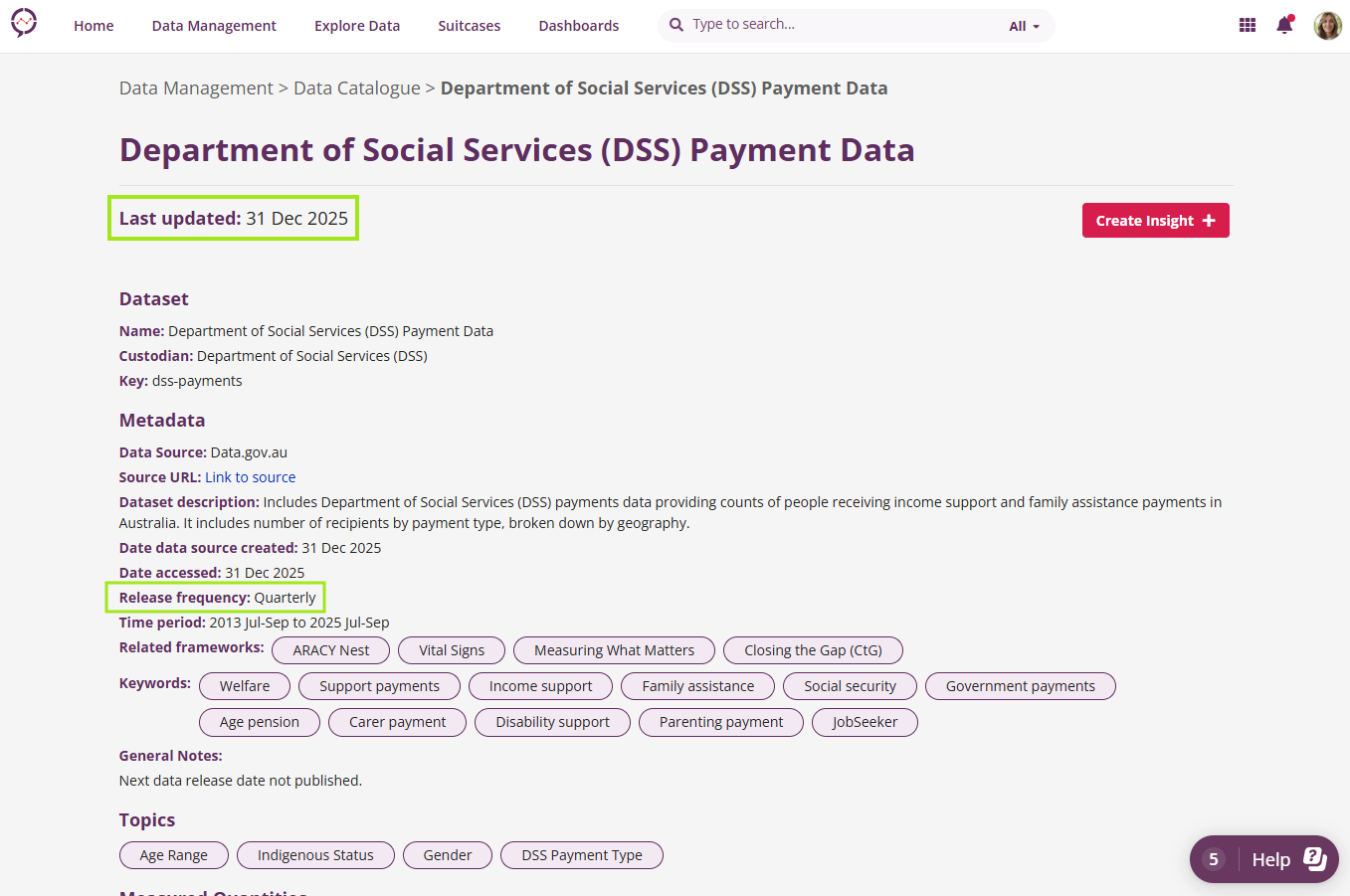
This gives you a clear view of how recent the data is before you begin exploring or analysing it.
Option 2: Check data freshness from an Insight
If you’re already working with an Insight:
-
Open the Insight.
-
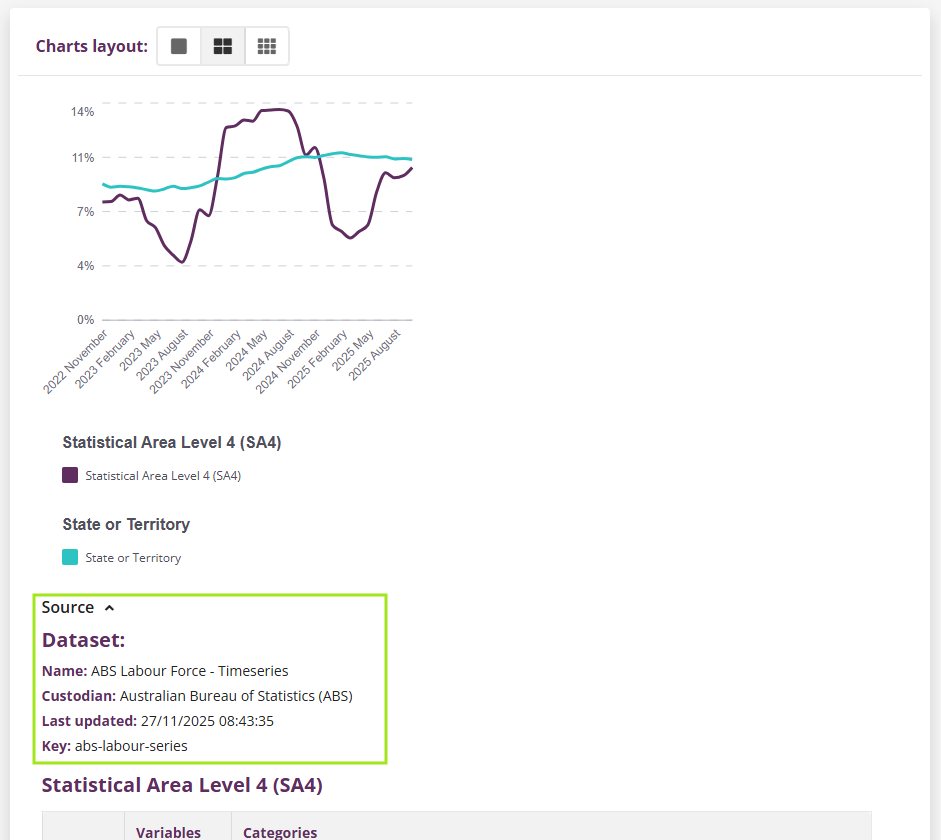
View the source details for the underlying dataset.
-
Review the metadata shown, including the most recent update information.
This helps you confirm that the Insight is based on the latest available data.
Why this matters
Knowing when data was last updated helps you:
-
Interpret results with confidence
-
Understand the timeliness of evidence behind an Insight
-
Make informed decisions based on current information
If you’re unsure whether a dataset is refreshing as expected, or need clarification on update schedules, you can contact us for support.